pointcloud插件
注解
本插件按照SDK插件规范开发,提供深度图及点云功能
插件下载

▶ windows
将windows下的pointcloud文件夹完整的复制到SDK的plugin文件夹下,即可使用
▶ ubuntu 16
将ubuntu16下的pointcloud文件夹复制到SDK的plugin文件夹下,然后把libimpc.so复制到与libindem.so同级的目录(或者系统目录等程序能够在运行时加载的位置)下
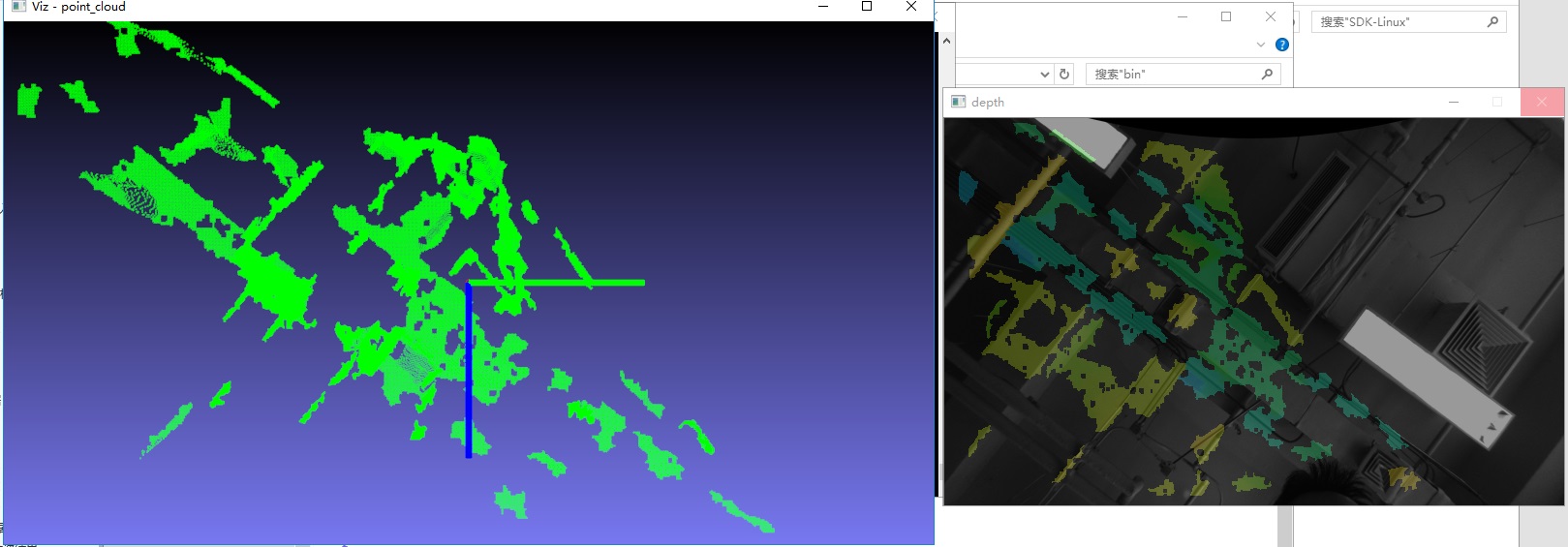
使用插件
a)查看版本
通过SDK来查看本插件的版本信息
int iMajor,iMinor;
char developer[64]={0};
CIMRSDK::ListPluginInfo("pointcloud",&iMajor,&iMinor,developer);
b)获取参数信息
在使用回调函数之前,需要获取图像大小的参数信息
struct CommandParams {
int16_t width;
int16_t height;
char distortion_model[16];
double P[12];
};
CommandParams params = { 0 };
pSDK->InvokePluginMethod("pointcloud", "getParams", NULL, ¶ms);
c)获取深度图和点云
void CloudDataCallback(int ret, void* pData, void* pParam) {
DepthData* depthData = (DepthData*)pData;
}
其中pData参数是形如 DepthData 的一个结构体
struct point_xyz {
float x;
float y;
float z;
float a;
};
struct DepthData {
double _time;
unsigned char* _depthImage;  //深度图,长度为图像的大小width*height
size_t _number;               //点云的数量
point_xyz* _points;           //指向点云的指针
};
然后通过SDK注册回调函数获取深度图和点云数据
pSDK->AddPluginCallback("pointcloud", "depth", CloudDataCallback, NULL);
回调函数会拿到点云数据和深度图数据
d)配置文件
{
"enable": true,
"display": true
}
display参数控制插件内部是否显示深度图,enable参数控制插件内部是否开启算法
编译执行
小技巧
本插件需安装SDK及其依赖库、Opencv 3.4.3
将Pointcloud插件中Ubuntu 16下pointcloud文件夹拷贝至……SDK/lib/1604/plugin下
并将pointcloud文件夹中libimpc.so文件拷贝至……SDK/lib/1604中
进入……SDK/Demo,打开终端,输入如下命令行
mkdir build
cd build
cmake ..
make
进入……SDK/lib/1604,打开终端,执行
sudo –s
sudo chmod 777 *
./TestIndem.sh
即可得到深度及点云图像